

Content Creator
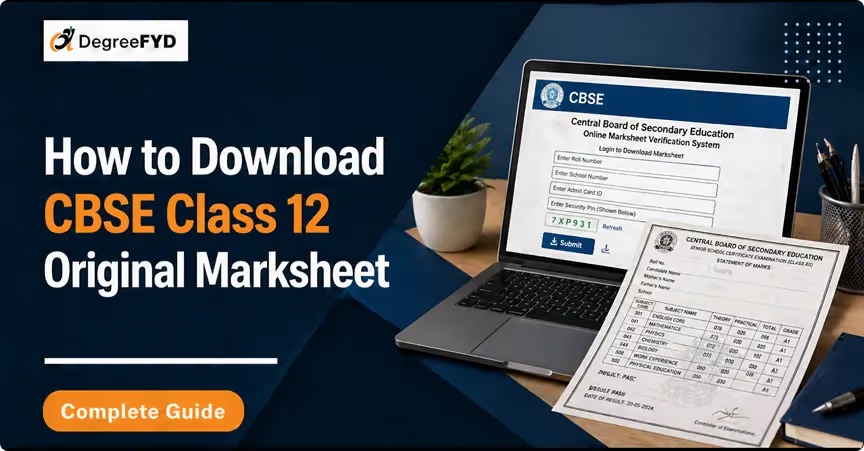
After checking the CBSE class 12 result, the next step is downloading the marksheet. Many students search for CBSE 12 result to access their scorecard and official document. The CBSE provides digital marksheets through official platforms. These marksheets are valid for college admissions, counselling, and verification until the school issues the original hard copy.
CBSE Class 12 result 2026 is released online by the CBSE, allowing students to check their CBSE result and download their marksheet on the same day. The online marksheet plays an important role for students as it is used for college admissions, counselling, and document verification until the original marksheet is issued by the school. Students searching for CBSE 12 result can access their results through official platforms without visiting any physical centre. Check below the highlights of CBSE Class 12 Result 2026:
| Feature | Details |
|---|---|
| Mode of Result | Online |
| Result Availability | Same day as declaration |
| Marksheet Type | Digital (Provisional) |
| Includes | Marks, Grades, Result Status |
| Validity | Accepted for admissions & verification |
| Original Marksheet | Provided later by school |
Students can download the CBSE class 12 marksheet through three official platforms. Each platform serves a different purpose. Check below the platform where candidates download CBSE Class 12 Marksheet:
| Platform | Best For | Access |
|---|---|---|
| Official Website | Quick result check | Website |
| DigiLocker | Download and storage | App + Website |
| UMANG | Mobile access | App |
The official CBSE result website is the primary platform where the CBSE class 12 result is first published. It allows students to quickly check their result and download the marksheet. This method is useful for students who want instant access to their class 12 result without using any app.
Step 1: Visit cbseresults.nic.in
Step 2: Click on CBSE Class 12 Result 2026
Step 3: Enter:
Step 4: Click Submit
Step 5: The CBSE result will be displayed
DigiLocker is the most recommended platform for downloading the CBSE 12 result marksheet. CBSE directly uploads marksheets to DigiLocker, making it easy for students to access a verified and secure digital document anytime.
UMANG provides an alternative mobile-based option to access the CBSE result and marksheet. This method is helpful for students who prefer using smartphones or face issues accessing websites.
After downloading the CBSE class 12 marksheet, it is important to verify all details carefully to avoid future issues during admission or documentation. Check the below table for details mentioned in CBSE Class 12 marksheet:
| Detail | Description |
|---|---|
| Student Name | As per CBSE records |
| Roll Number | Unique exam ID |
| Date of Birth | Student DOB |
| School Name | School details |
| Subject-wise Marks | Marks obtained |
| Grades | A1 to E |
| Total Marks | Overall score |
| Result Status | Pass/Compartment |
To access the CBSE class 12 result, students must keep certain details ready. These credentials are required across all platforms. Check below the required details to Check CBSE Class 12 Result:
Incorrect details may prevent access to the marksheet.
CBSE follows a grading system instead of displaying percentages directly in the marksheet. This helps standardise evaluation across subjects. Check the below table for CBSE Class 12 Grading System:
| Grade | Performance |
|---|---|
| A1, A2 | Excellent |
| B1, B2 | Good |
| C1, C2 | Average |
| D | Pass |
| E | Fail |
Students must secure at least 33% marks in each subject to pass.
Both digital and original marksheets are important, but they serve slightly different purposes. Check below the table for Digital vs Original CBSE Marksheet:
| Type | Availability | Purpose |
|---|---|---|
| Digital Marksheet | Online | Admission & verification |
| Original Marksheet | School-issued | Permanent academic record |
The digital version is valid, but the original marksheet should be collected later for long-term use.
After downloading the CBSE 12 result marksheet, students should take a few important steps to ensure proper use and storage. Check bekow to know What to do after downloading CBSE Marksheet:
Students may face technical or login-related issues while accessing their CBSE result. Understanding common problems can help avoid delays. Check below table for common issues while checking CBSE Result:
| Problem | Solution |
|---|---|
| Website not loading | Use DigiLocker |
| Incorrect credentials | Recheck details |
| Server busy | Try again later |
| Missing roll number | Contact school |
© 2026 Nuvora Education Private Limited. All rights reserved.