

Content Creator
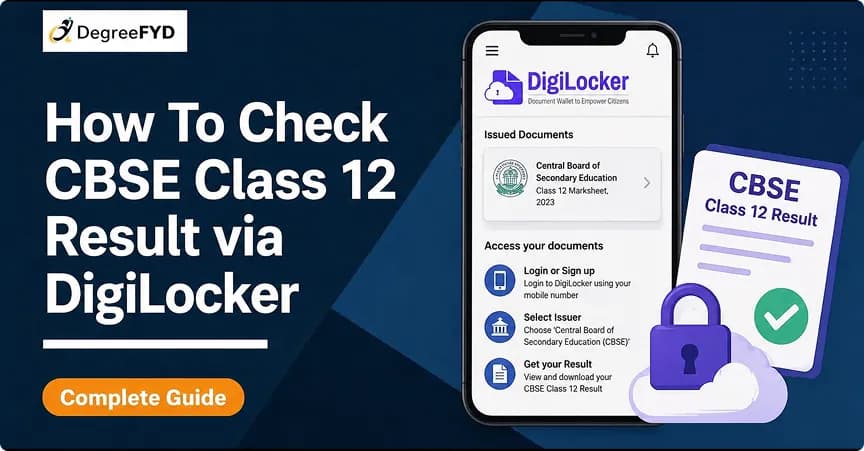
CBSE Class 12 result is one of the most eagerly awaited announcements among all students in India. Rather than facing difficulties due to the slow loading of websites on the announcement date, the 12 CBSE Result can be checked easily via an authorized government website. DigiLocker system allows students to view and download their 12 class result, as well as their marksheets and certificates, from any location at any time. Here we provide each step involved in checking and downloading the 12 CBSE Result.
DigiLocker is a government-backed digital storage platform that allows users to access official documents online. DigiLocker is an e-document service offered by the Indian government. It acts as a secure digital locker where important documents can be stored. Below are the features of DigiLocker for CBSE Class 12 students:
| Feature | Details |
|---|---|
| Document Type | Marksheet, Certificate, Migration |
| Accessibility | Anytime, Anywhere |
| Security | Government Verified |
| Validity | Legally Accepted |
These documents are digitally signed and legally valid, making them acceptable for admissions and official use.
CBSE Class 12 result 2026 will show your final performance in the 12 class board exams conducted by Central Board of Secondary Education. Students can now check their 12 CBSE result online as result is out. Check the below table for CBSE Class 12 result 2026 overview:
| Particulars | Details |
|---|---|
| Exam Name | CBSE Board Exams |
| Class | 12 class |
| Board | Central Board of Secondary Education |
| Session | 2025–26 |
| Result Mode | Online (DigiLocker + Official Website) |
| Result Date | 13 May 2026 |
| Credentials Required | Roll Number, School Number, Admit Card ID |
Before viewing the CBSE Class 12 result, candidates make sure they have all required details ready to avoid delays. Check the below table for credentials required to check CBSE Class 12 Result:
| Credential | Description |
|---|---|
| Roll Number | Provided on admit card |
| School Number | Given by school |
| Admit Card ID | Printed on admit card |
| Date of Birth | As per records |
| Security PIN | Provided by school |
It is easy and fast to check the CBSE Class 12 result on DigiLocker. As long as candidates have their log-in credentials, they will be able to view their 12 CBSE result in minutes without facing heavy website traffic. Check below the step to check CBSE Class 12 Result via DigiLocker:
Open DigiLocker
Login or Register
Enter Security PIN
Go to Issued Documents
Select CBSE Class 12 Marksheet
Enter Required Details
View & Download Result
Open DigiLocker
Login or Register
Enter Security PIN
Go to Issued Documents
Select CBSE Class 12 Marksheet
Enter Required Details
View & Download Result
Candidates want to skip multiple steps and directly access their CBSE Class 12 result, DigiLocker provides a dedicated result portal. This is the fastest way to check the 12 CBSE result on result day, especially when other websites are slow due to heavy traffic.
Direct Link: https://results.digilocker.gov.in/
Note: Simply enter the required details to view and download your 12 class result instantly.
After downloading the CBSE Class 12 result from DigiLocker, it’s important to carefully check all the information mentioned in the marksheet. These details are important for college admissions, document verification, and future use. Check below the table to knoe what details mentioned in CBSE Class 12 marksheet:
| Detail | Description |
|---|---|
| Student Name | As per CBSE records |
| Roll Number | Unique exam ID |
| Parents’ Names | Father’s & Mother’s name |
| Subjects | List of subjects appeared |
| Marks | Subject-wise scores |
| Total Marks | Overall score |
| Grades | Performance grade |
| Result Status | Pass/Fail |
Note: If candidates find any mistake in their 12 class result, immediately contact the school or CBSE for correction.
Checking your CBSE Class 12 result using the DigiLocker system is not only easier for candidates, but it is also very reliable than other traditional ways. This allows candidates to check the 12 cbse result without any delay. Check below the benefits if checking CBSE Class 12 Result via DigiLocker:
| Benefit | Explanation |
|---|---|
| Instant Access | No waiting or website crashes |
| Secure Storage | Government-backed platform |
| Verified Documents | Digitally signed by CBSE |
| Easy Sharing | Useful for college admissions |
| Anytime Access | Available 24/7 |
When checking CBSE Class 12 result, some students may face minor issues due to high traffic or incorrect details. These are normal difficulties encountered on the result day and could easily be solved. Check the below table for
common issues and solutions
while checking CBSE Result on DigiLocker:
| Issue | Solution |
|---|---|
| OTP not received | Wait and retry or check network |
| Incorrect credentials | Recheck roll number and admit card ID |
| Security PIN not working | Contact your school |
| Result not visible | Wait until CBSE uploads data |
After checking the CBSE Class 12 result, the next important step is to download the CBSE marksheet for future use. Through DigiLocker, students can easily download their 12 cbse result in PDF format and keep it safe for admissions, verification, and records. Check below the steps to check how to download CBSE Class 12 Marksheet PDF:
Step 1: Login to DigiLocker
Step 2: Go to Issued Documents
Step 3: Select CBSE Class 12
Step 4: Click on Download
Step 5: Save the CBSE Class 12 result PDF
One such question that many students have after downloading their CBSE Class 12 results is if the mark sheet issued from DigiLocker is an authentic document or not. This can be clarified as yes, since documents issued from DigiLocker are certified digital documents, holding the same importance as original certificates from CBSE.
Apart from DigiLocker, you can check your CBSE class 12 result through:
After checking the CBSE result class 12, students need take appropriate actions at the earliest. Your class 12 CBSE result has a major impact on your further education, entrance tests, and other aspects of your life. Check below the steps what to do after checking CBSE Class 12 result:
| Action | Purpose |
|---|---|
| Verify details | Ensure all information is correct |
| Apply for revaluation | If marks seem incorrect |
| Download certificates | Required for admissions |
| Apply to colleges | Start admission process |
| Keep documents ready | For verification |
© 2026 Nuvora Education Private Limited. All rights reserved.