

Content Creator
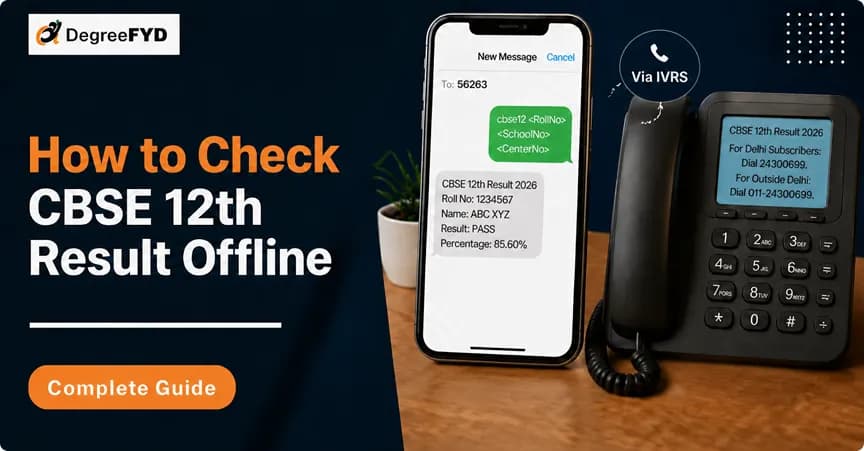
CBSE Result can also be checked offline or without buffering the internet by just adopting the method of SMS and IVRS. As the CBSE Class 12 Result 2026 is now out, this method is useful for students who are unable to access the official website due to heavy traffic on result day. Instead of waiting for the website to load, students can easily use offline methods to check their scores. To check the result through SMS and IVRS, students must have some necessary information like roll number, school number, admit card ID, and also registered mobile number. They both will help you in getting your result without any internet connection issue.
CBSE Class 12 result are important for every stream of students studying in India. As the CBSE 12th Result 2026 has now been officially declared, students are checking their scores online through the official website. However, due to heavy traffic on result day, the website may become slow or temporarily unresponsive because many students try to access the result simultaneously. To prevent any such situation, the CBSE board makes sure to give different options to download the CBSE results. Offline ways such as SMS and IVRS can help them download results without any buffering and internet connection.
| Particulars | Details |
|---|---|
| Exam Name | CBSE Class 12 Board Exams |
| Conducting Body | Central Board of Secondary Education (CBSE) |
| Streams Covered | Science, Commerce, Arts |
|
Result Status
| Out |
| Official Result Website | cbseresults.nic.in |
| Result Issue | Website may slow down or crash due to heavy traffic |
| Alternative Methods | Offline and app-based result checking options available |
| Offline Options | SMS and IVRS (no internet required) |
| SMS Number | 7738299899 |
| IVRS Numbers | 24300699 (Delhi), 011-24300699 (Other States) |
| Other Platforms | DigiLocker App, UMANG App |
| Benefit | Students can check results without internet or buffering |
Before checking CBSE Class 12 result via offline methods, such as SMS and IVRS, students must prepare all the necessary information. This information will help them in avoiding mistakes and save time. The offline method provides very few chances for re-entering the information, so correct information at the first attempt is important. All the required information can be found in CBSE admit card, so students should keep it near them. A registered mobile number is also required for easy access. Once all information is available, students can view their results without any difficulty.
| Detail Required | Where to Find It |
|---|---|
| Roll Number | CBSE Admit Card |
| School Number | CBSE Admit Card / School Office |
| Centre Number | CBSE Admit Card |
| Admit Card ID | CBSE Admit Card |
| Registered Mobile Number | Number used during form fill |
Students can check the CBSE Class 12 result offline through SMS without internet or buffering. This method is simple and works on any basic mobile phone, which makes it useful when the official website is slow or not working due to heavy traffic. Students only need to send a message in the correct format to get their result directly on their phone.
Also Read: How to Check CBSE Result via Digilocker
Check below the step-by-step process to check CBSE Result Offline via SMS:
Students can check the CBSE Class 12 result offline through IVRS (Interactive Voice Response System). This method works through a simple phone call and does not require internet or a smartphone. It is useful when the website is slow or not working due to heavy traffic. Students only need to follow voice instructions and enter their roll number to get result details.
CBSE Class 12 result can be checked easily through both online and offline methods. While the official website is the main source, it may slow down due to heavy traffic on result day. In such cases, offline options like SMS and IVRS provide a quick and reliable way to access results without internet or buffering. Students should keep all required details ready to avoid errors and save time. These alternative methods ensure that every student can check their result smoothly, even in low network areas or during peak hours.
© 2026 Nuvora Education Private Limited. All rights reserved.