

Silky
Content Creator
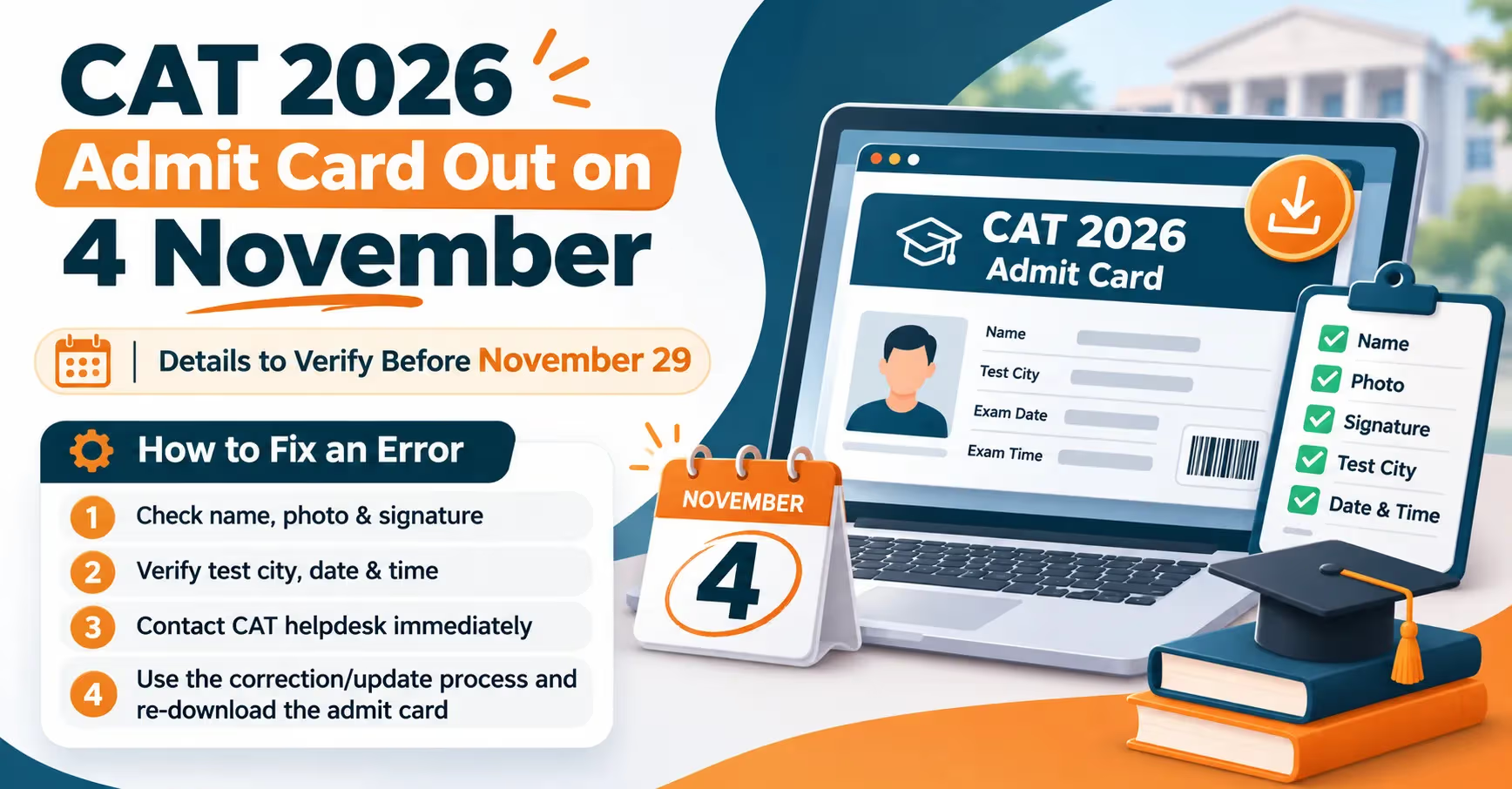
IIM Indore will release the CAT admit card 2026 on November 4, 2026 at iimcat.ac.in. Candidates who registered between August 3 and September 15 can download their CAT hall ticket using their User ID and password. The download window stays open till November 29, 2026, which is also the CAT exam date 2026. CAT admit card is not a formality. It decides your slot, your test centre and whether the invigilator lets you in. A single mismatch between your name on the admit card and your photo ID can cost you the attempt you have been preparing for since June. Candidates get roughly 25 days between release and exam day, and that is enough time to catch and fix a mistake, provided you check early. Here we covers the download steps, six details every candidate must verify, and what to do if something on the CAT admit card is wrong.
CAT admit card 2026 comprises vital information related to the examination, such as the date and time of the examination, test venue and details of the candidates. Candidates sitting for CAT 2026 need to get their respective admit cards by logging into the official IIM CAT website. In the following paragraphs, find highlights on how to download the CAT 2026 admit card:
| Particulars | Details |
| Exam name | Common Admission Test (CAT) 2026 |
| Conducting body | IIM Indore |
| CAT admit card release date | November 4, 2026 |
| Last date to download | November 29, 2026 |
| CAT exam date 2026 | November 29, 2026 (Sunday) |
| Mode of exam | Computer-based test (CBT) |
| Number of slots | Three |
| Test cities | Around 170 |
| Login credentials | CAT User ID and password |
| Official website | iimcat.ac.in |
Also read: CAT 2026 Exam: Dates, Eligibility, Pattern and Syllabus
The CAT admit card 2026 will be released online on the official website. Candidates who have applied for the exam must follow the below steps to download process:
Go to the official website, iimcat.ac.in.
Click on the Registered Candidate Login link on the homepage.
Enter your CAT User ID and password on the login page.
Click on the Admit Card tab on the dashboard.
Download the CAT Admit Card 2026 PDF and save it on your phone and laptop.
Take at least two colour printouts on A4 paper.
The link usually slows down on day one because lakhs of candidates log in at once. If the page does not load, wait a few hours and try again on a desktop browser. There is no need to panic on November 4; the admit card will remain available till exam day.
Once you have your CAT admit card 2026, you should check the following things thoroughly:
Your name must match your photo ID card letter for letter. If your Aadhaar says "Rahul Kumar Sharma" and the admit card says "Rahul Sharma", that gap can lead to questions at the frisking counter. Check the spelling, the order of first and last name, and your date of birth. These fields could not be edited during the correction window, so any error here needs the helpdesk.
The photo on the CAT hall ticket is what the invigilator compares with your face. It should be clear, recent and not stretched. The signature should be visible and not cropped. If either looks blurred or blank, raise it right away, because a photo mismatch is one of the most common reasons for delays at verification.
Check whether your category (General, NC-OBC, SC, ST, EWS) and PwBD status are printed correctly. This matters beyond exam day. IIMs and other B-schools use your category for shortlisting and CAT cut off calculations, and you will need to submit category certificates later. PwBD candidates should also confirm that scribe and compensatory time details, if applied for, appear on the admit card.
CAT 2026 will be held in three slots on November 29. Going by the pattern followed last year, the expected slot timings are:
| Slot | Exam timing |
| Slot 1 | 8:30 AM to 10:30 AM |
| Slot 2 | 12:30 PM to 2:30 PM |
| Slot 3 | 4:30 PM to 6:30 PM |
Your admit card will show only one slot, along with the reporting time and gate closing time. Go by what is printed on your admit card, not by the table above. You can appear only in the slot assigned to you, and slot changes are not allowed.
Also read: CAT 2026 Exam Pattern: Sections, Marking Scheme and Sectional Time Limit
Candidates choose test city preferences during registration, but the exact centre is revealed only on the admit card. Check the full address, landmark and PIN code. Then do two things:
Search the address on Google Maps and note the travel time at the hour you will be leaving.
If the centre is in a new city or area, visit it a day or two before the exam.
Candidates allotted a centre outside their home city should book travel and stay by mid-November, as hotels near popular centres fill up quickly in the last week.
Your CAT registration number and roll number appear on the admit card and are needed again for the answer key objection window and the CAT result 2026. Note them down separately. Also read the instructions page at the end of the PDF. It lists permitted items, the ID proof rules and the exam day guidelines, and candidates who skip it often carry items that get them stopped at the gate.
CAT 2026 application correction window closed on October 6, 2026. That window only allowed edits to the photograph, signature and test city preferences. Fields such as name, date of birth, category, email and mobile number were locked. So if you spot a mistake on the admit card, the online form will not help. Here is what to do:
Step 1: Document the error: Take a screenshot of the admit card section showing the mistake. Keep a scan of the correct document (Aadhaar, passport, category certificate, etc.) ready.
Step 2: Write to the CAT helpdesk: Send an email to the official helpdesk ID listed on iimcat.ac.in. Mention your CAT User ID, registration number, roll number, the exact error and the correct detail. Attach the screenshot and the supporting document. Keep the subject line specific, for example: "Name spelling error on CAT 2026 admit card, User ID XXXXXXX".
Step 3: Call the toll-free helpline: Follow up on the email with a call to the CAT helpline number given on the official website. The helpdesk generally works on weekdays during office hours, so do not leave this to the weekend before the exam.
Step 4: Download the updated CAT admit card: If the authority corrects the error, a revised admit card will be available on your login. Download it again and discard the old printout.
Step 5: Carry backup proof: If the correction does not come through before November 29, carry the email trail, your original ID and the supporting documents to the centre. Follow whatever instructions the helpdesk gives in writing.
While downloading the CAT Admit Card 2026, candidates might encounter computer-related problems, including difficulties logging on, problems with website speed, and inaccuracies in their admit cards. Usually, those issues can be resolved easily. Below is a list of frequently occurring CAT admit card problems along with their solutions to help candidates avoid any trouble before the exam.
| Problem | What to do |
| Admit card not showing after login | Check that you are using your 2026 credentials. Clear cache, try another browser, then contact the helpdesk. |
| Forgot User ID or password | Use the Forgot Password option; the reset link goes to your registered email. |
| Photo or signature blurred | Email the helpdesk with a fresh scan attached. |
| Name or DOB mismatch with ID | Email the helpdesk with a copy of your ID proof. |
| Wrong category printed | Email the helpdesk with your category certificate. |
| Test centre too far away | Centre change requests are generally not accepted. Plan travel early. |
The name on the photo ID must match the name on the admit card. Photocopies and phone screenshots of the ID are not accepted. Electronic devices, watches, calculators and bags are not allowed inside the exam hall; an on-screen calculator is provided.
Printed CAT admit card 2026 (A4 size, colour preferred)
One original photo ID: Aadhaar card, passport, PAN card, driving licence, voter ID, or college or employee ID
Category or PwBD certificate, if applicable
Scribe declaration, if applicable
Read in detail: CAT Counselling 2026
The CAT 2026 admit card will be released on November 4, 2026 on iimcat.ac.in.
Candidates can download it till November 29, 2026, the day of the exam. It is safer to download it in the first week itself.
No. The test centre allotted on the admit card is final. Requests for change are generally not entertained.
No. The CAT admit card is available only online through the candidate login on iimcat.ac.in.
Contact the CAT helpdesk immediately with your User ID, a screenshot of the error and a copy of your ID proof. Do not wait until exam day.
A clear A4 printout is required. A colour print is recommended so that your photograph is easy to verify.
© 2026 Nuvora Education Private Limited. All rights reserved.